Window and game area
The window of the game is the area in which the game is displayed. It DOES NOT refer to the system window that includes the toolbar, title bar on the top and a frame on the other three sides.
Fullscreen
The "De/activate fullscreen" action allows you to toggle the game between fullscreen on/off. When the window is in fullscreen, it will take up as much area as possible. You can control the action using the "YES" and "NO" actions.
The "Fullscreen activated?" condition checks whether the game is currently in fullscreen mode.
Window margins
The margin of the window is the distance between the side of the window and the game window displayed. Shown below is the preview of a game with 100 px margins on all 4 sides.
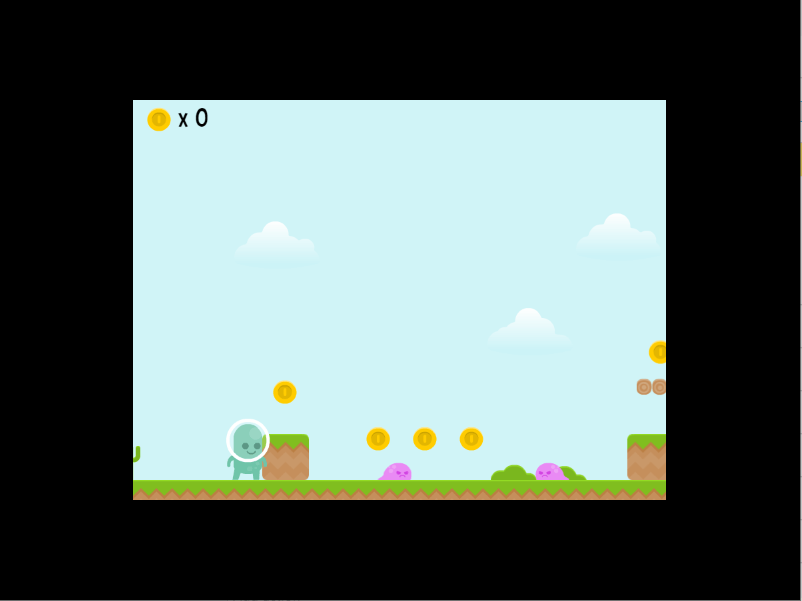
Notice the black borders on all for sides of the window. The width of the borders is 100px.
Game resolution vs window size
GDevelop distinguishes between two related but different concepts:
- Game resolution is the virtual canvas size the game renders at (set in Project Properties). It determines how much of the game world is visible and at what quality.
- Window size is the actual pixel size of the operating system window. This only applies to desktop (Windows, macOS, Linux) games — browsers and mobile apps manage the window themselves.
Use the "Game resolution" action to change the virtual canvas size without affecting the window, or the "Game window size" action to resize the operating system window on desktop.
When the window size and game resolution differ, the game is scaled (stretched or letterboxed) to fit. Choosing "Also update the game resolution: Yes" in the window size action makes both match, avoiding any scaling.
Note
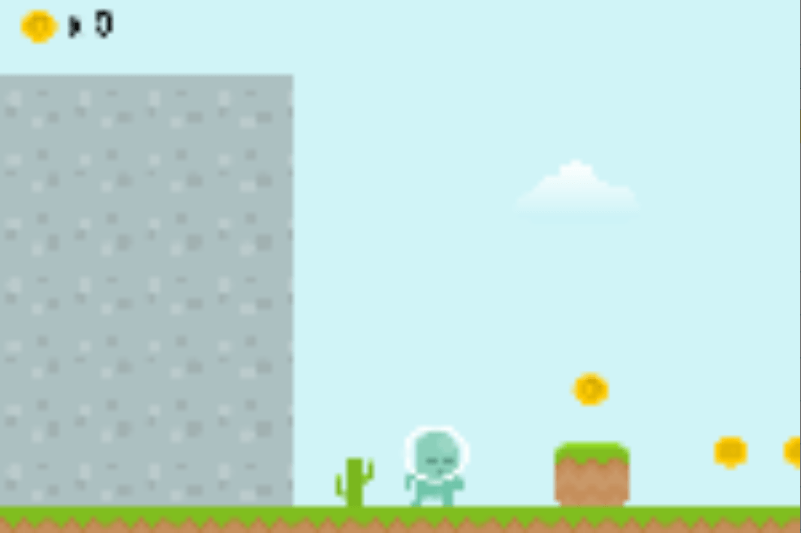
The game is cropped starting from the top-left corner if the window is smaller than the game resolution.
Center the window
The "Center the game window on the screen" action moves the application window to the center of the screen. This only works on desktop (Windows, macOS, Linux) — it has no effect in browsers or on mobile.
Window title
The window title is the name of the window that is visible on the title bar (located at the top) of the window. The default title name is "Preview of ProjectName" during a preview.
By default, the game name is used for the executable name (on Windows, macOS and Linux), the app name (on Android and iOS) and the title bar (on Windows, macOS and Linux) (and the page title for HTML5 games). You can learn more about it in game properties.
With the action to change the title, the title bar on Windows, macOS and Linux will be changed. Nothing will be visible on Android and iOS. For HTML5 games, the web page title will be changed.
Expressions
| Expression | Returns |
|---|---|
SceneWindowWidth() |
Current game resolution width (virtual canvas) |
SceneWindowHeight() |
Current game resolution height (virtual canvas) |
ScreenWidth() |
Actual container/window inner width in pixels |
ScreenHeight() |
Actual container/window inner height in pixels |
WindowTitle() |
Current window title as a string |
SceneWindowWidth() and SceneWindowHeight() reflect the game resolution, which may differ from ScreenWidth()/ScreenHeight() if the window has been resized or if the game is displayed in a browser with a different page size.
Reference
All actions, conditions and expressions are listed in the window reference page.